ourss

Read the web with your people.

OurSS is an RSS reader that a small group shares. Follow the sites you like, see what your friends are reading, and comment on the exact line that got you. We'll host your community from $12 a month, or you can run it yourself for free.

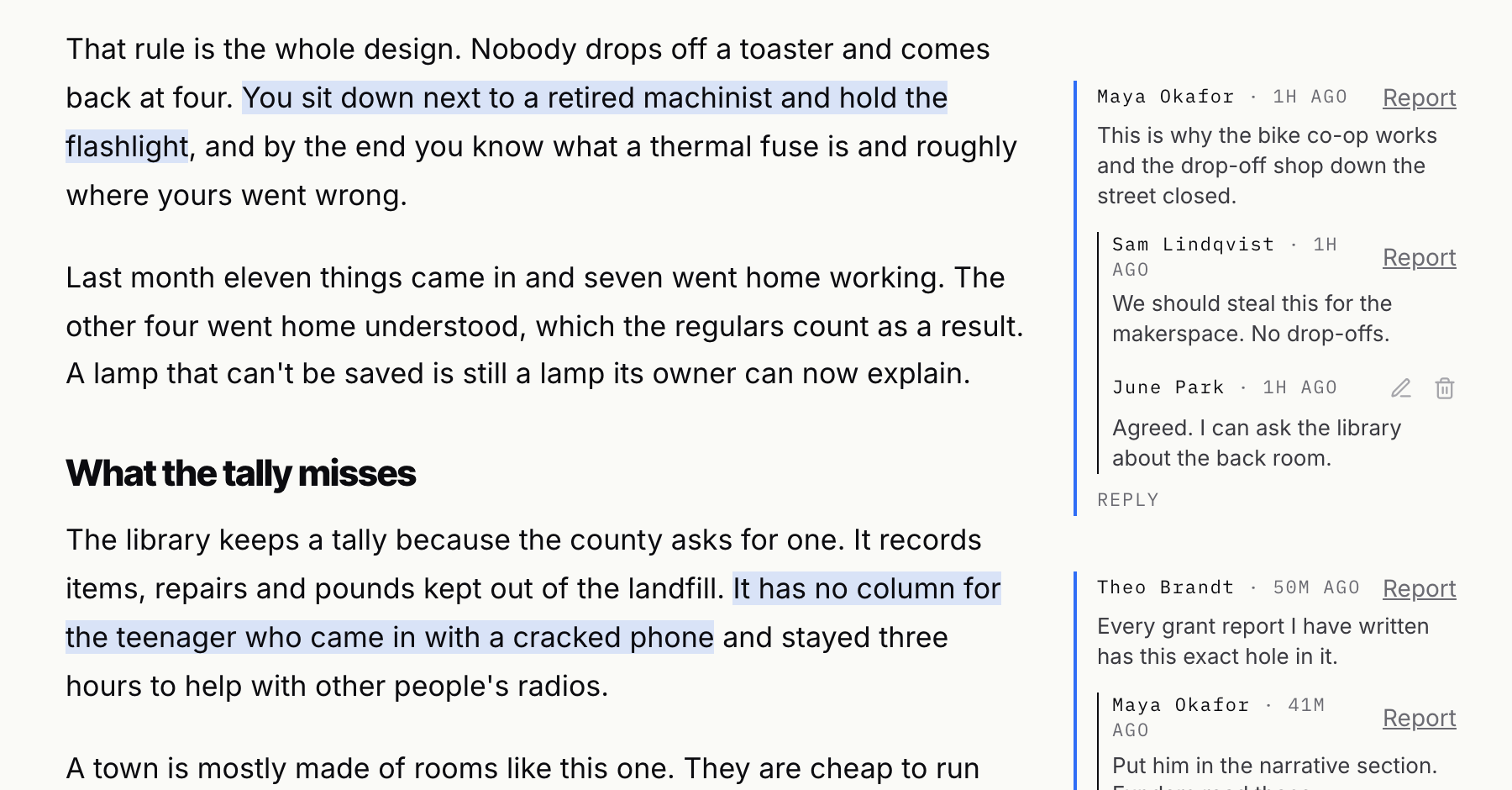
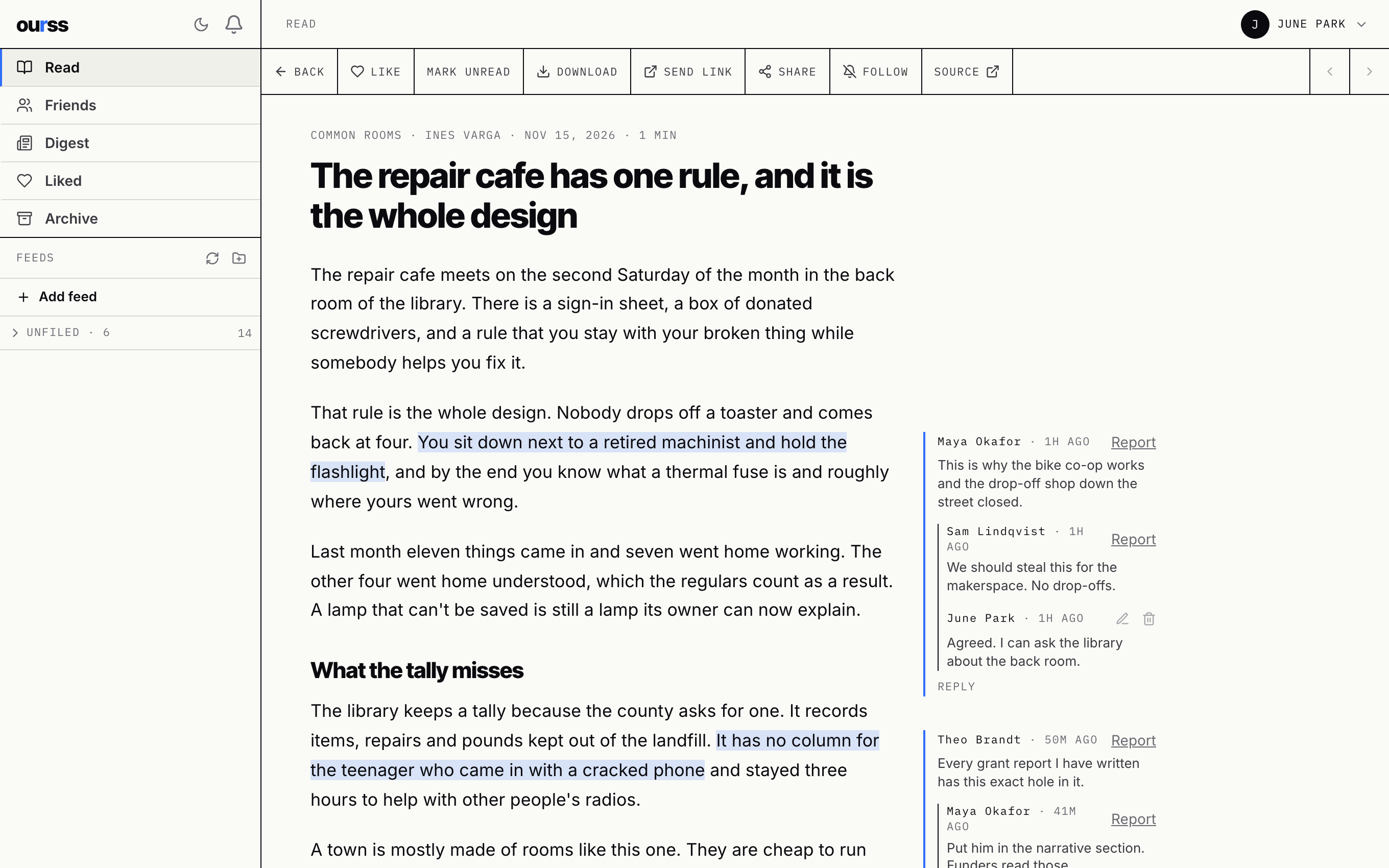
An article open in OurSS. Two passages are highlighted, and friends' comments and replies sit in the margin beside them.

Why I built a reader for a dozen people.

A few of us wanted somewhere to read the same things and talk about them. Group chats bury a good link in an hour. Social networks hand the room to whoever posts most.

So I built OurSS for our own group, and we've been reading in it since. Each of us follows the sites we like. When somebody shares a piece or comments on a line, the rest of us see it. Articles fade after two days and go to the archive after seven, so nobody comes back to 400 unread.

We don't run ads, and there's no algorithm choosing what you see. The code is open source and you can run it on your own server for free. If you'd rather skip the server, we'll host your community for a flat monthly price. Hosting is the only thing we sell.

Jay Margalus Fourfold
Comment on the exact line.

Select a passage and write a note beside it. Your friends see the highlight when they read the piece, and they can reply under your note.

Threads stay one level deep, so a conversation about a sentence stays next to that sentence.

Close-up of a highlighted sentence with a comment from Maya Okafor in the margin and two replies under it.

Read what's new, then be done.

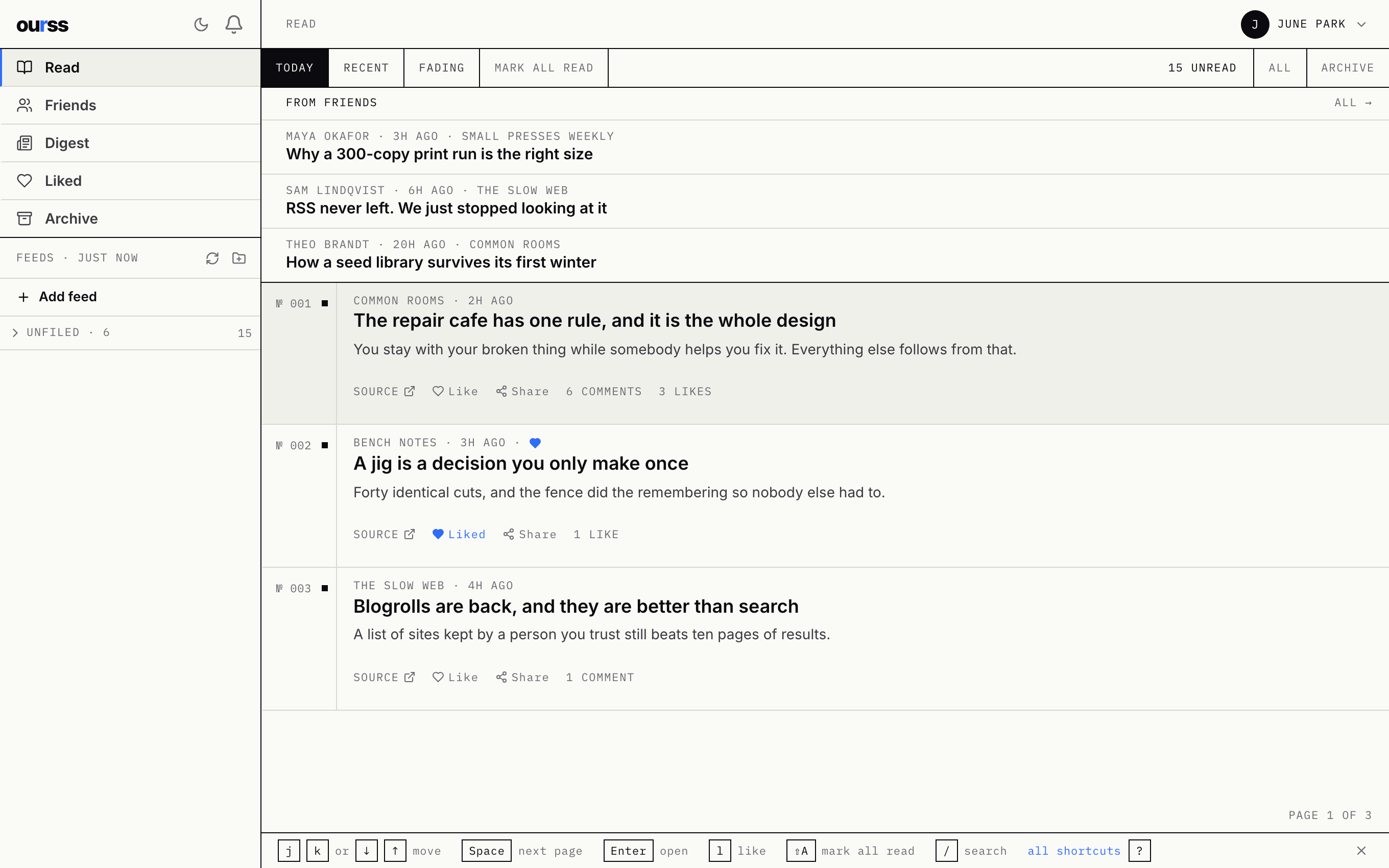
Today, Recent and Fading are the whole inbox. Anything older than a week moves to the archive by itself.

Move through the list with j and k, and what your friends shared sits at the top.

The Read screen: three pieces shared by friends at the top, then today's articles in a numbered list.

See what the group is talking about.

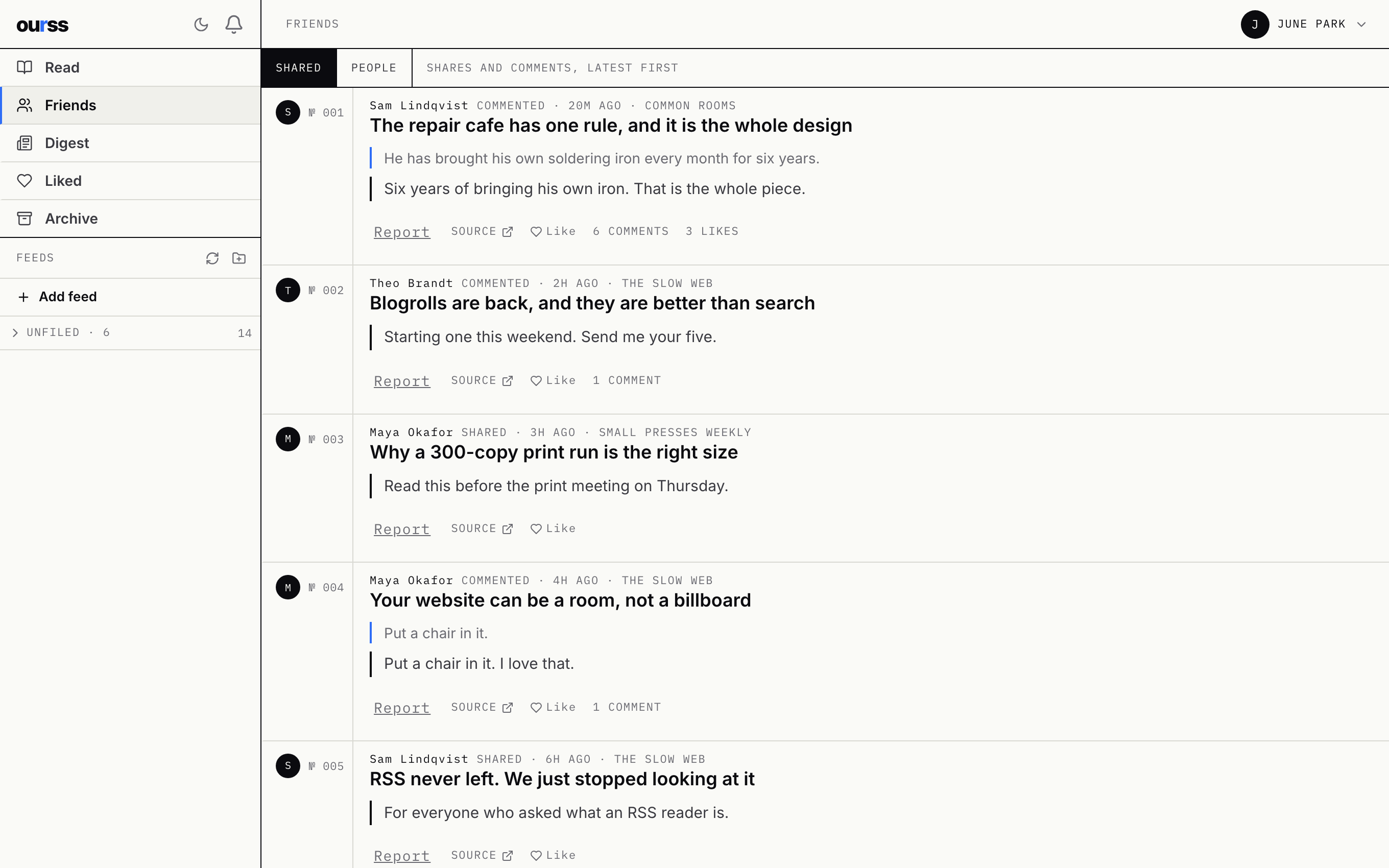
Friends lists every piece somebody shared or commented on, newest conversation first. Open one and you land on the passage they were talking about.

The Friends screen: a list of articles with the latest comment or share from each friend.

It fits in your pocket.

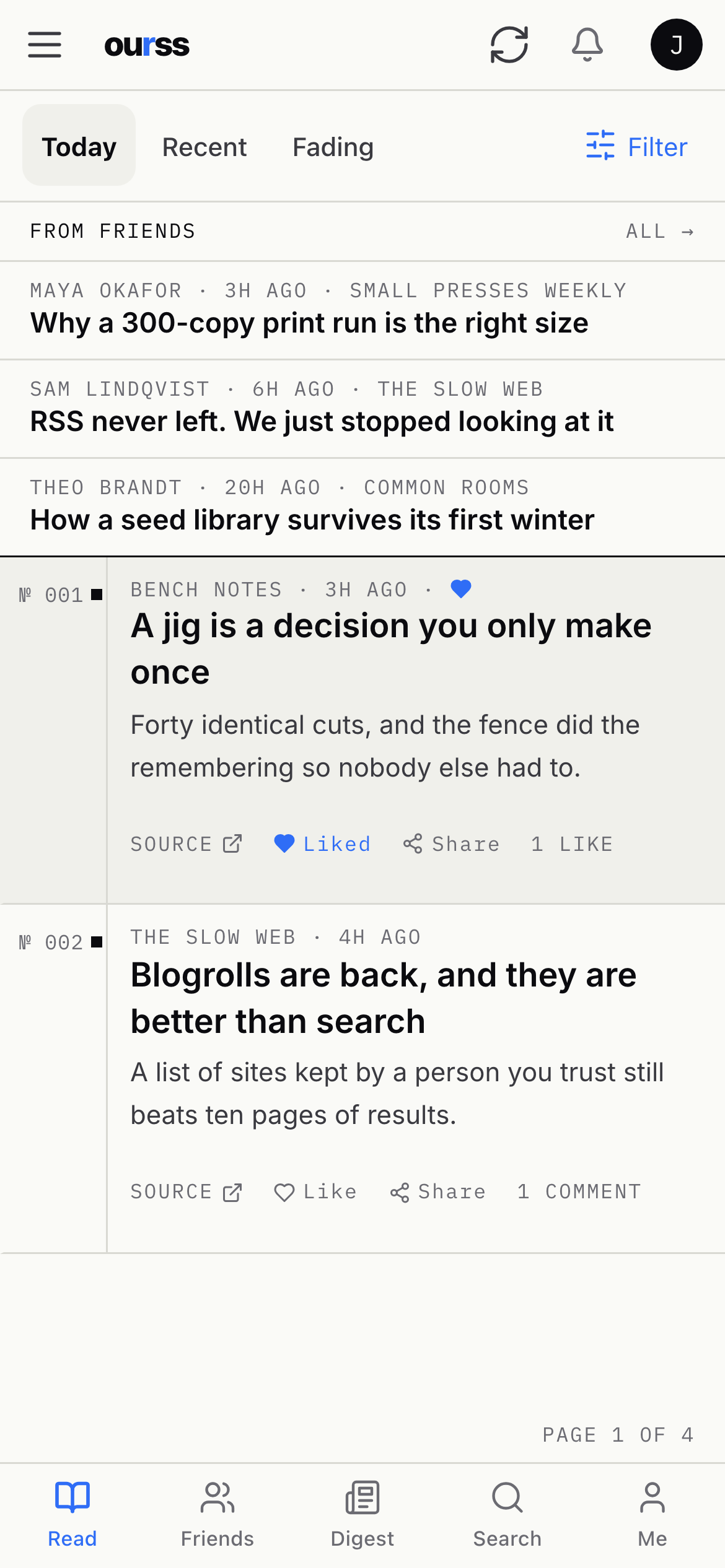
The reader works in any phone browser. An iPhone app is in beta testing, and it saves articles to read when you're offline.

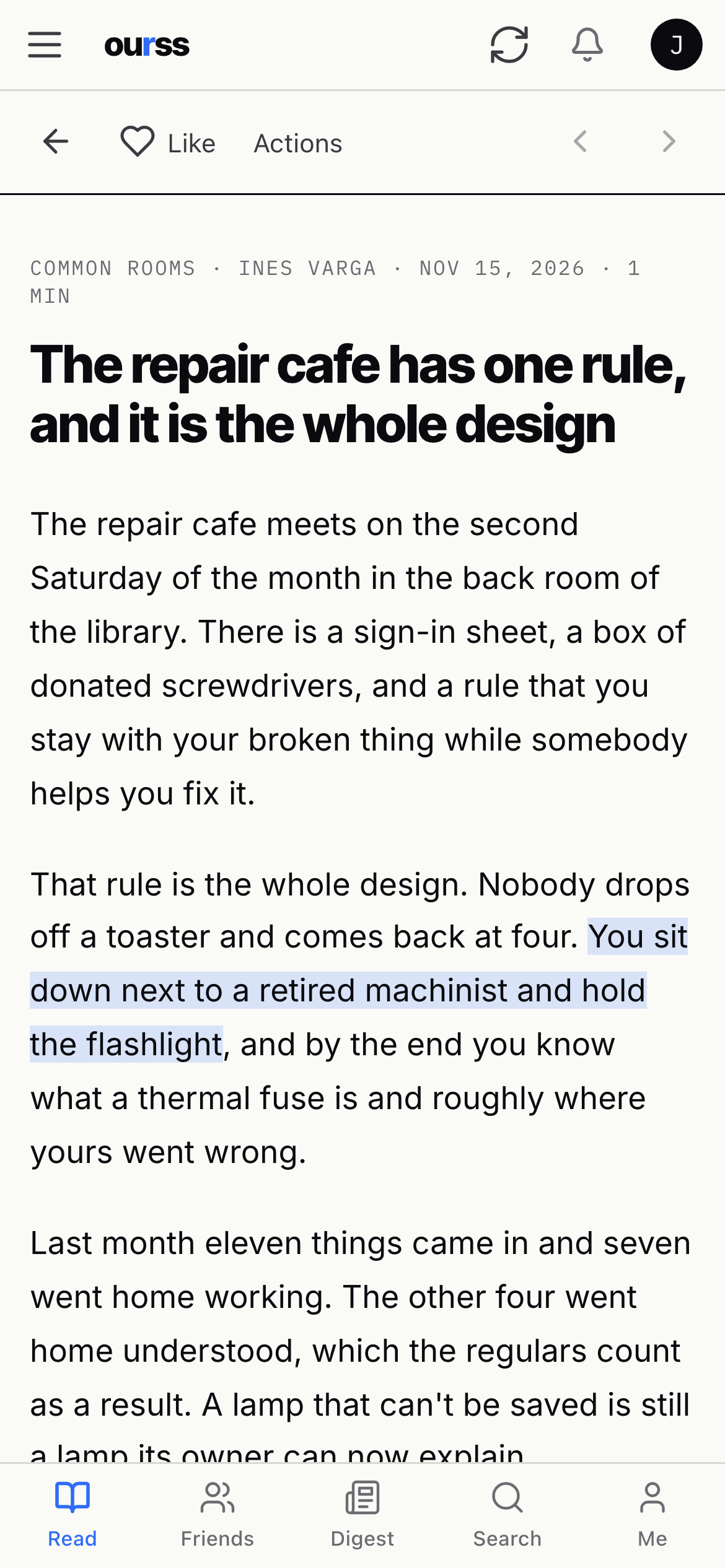
The Read list on a phone.
An article on a phone.

One price for the whole group.

You pay for the community. Members join free with an invitation from you, and nobody pays per seat.

Circle

Up to 25 members

$12a month

  • Your own address, or your own domain
  • Daily backups
  • Upgrades handled for you
  • Take your data with you any time
Start a Circle

Commons

Up to 100 members

$25a month

  • Everything in Circle
  • Weekly digest of what the group read
  • Email for password resets and notifications
  • Help from the person who built it
Start a Commons

Run it yourself

Any size, your server

$0MIT license

  • The same software we host
  • One Docker container and a small server
  • No license keys and no account with us
  • Backup, restore and upgrade commands included
View the source

Hosting isn't self-serve yet. Email us and we'll set your community up by hand.

Questions.

What's RSS?

Most blogs, newsletters and news sites publish a feed of their new posts. A reader collects the feeds you choose in one place, in order, with nothing added.

Who can see our community?

Only the people you invite. Joining takes an invitation code from an admin, and comments are visible to members only.

Can we leave?

Yes. Every member can export their own data, and we'll hand you a full backup that restores on your own server with one command.

Is there AI in it?

Only if you want it. The weekly digest uses a language model to summarize what your group read and discussed. It's off unless you turn it on.

How big can a community get?

OurSS is built for groups where people know each other: a class, a studio, a family, a team. Past a hundred members, write to us first.

What does self-hosting take?

A small Linux server with Docker and a domain name. The install guide covers setup, HTTPS, backups and upgrades in six commands.

Start with the people you already read with.